The chart wheel
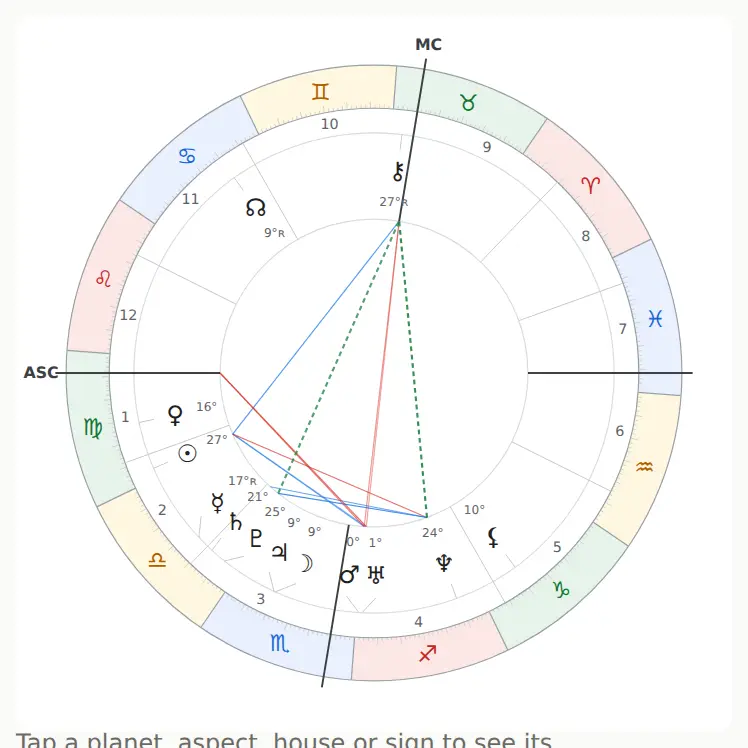
The wheel sits right under the form. It's a picture of the sky at birth: the zodiac signs around the edge, the houses, the planets and the aspect lines between them.
Reading the wheel
- The colored outer ring holds the twelve signs. The color shows the element.
- The numbers 1–12 inside are the houses. The horizontal line is the Ascendant–Descendant axis (ASC on the left). The near-vertical one is the MC–IC axis.
- Planet glyphs sit at their degrees, with the degree in the sign printed small next to them. An R means the planet was retrograde.
- Lines in the middle are aspects. Red: square and opposition. Blue: trine and sextile. Dashed green: quincunx (150°). The closer the aspect, the brighter and thicker the line.
Tap for an interpretation
Tap a planet glyph, an aspect line, a house number or a sign. A card opens:
| You tapped | The card shows |
|---|---|
| A planet | Position, house, direct or retrograde motion, Lilly dignity score for the seven classical planets, sign and house text, list of aspects |
| An aspect | Orb, applying or separating, interpretation text |
| A house | Cusp, ruler and where the ruler sits, planets in the house |
| A sign | Element and modality, ruler, planets in the sign |
The aspect rows inside a card are tappable too, so you can hop from planet to planet. On a phone the card slides up from the bottom; on a wide screen it appears on the right. Close it with “Close”, the Esc key, or a tap outside the card.
Keyboard: Tab to a glyph and press Enter.
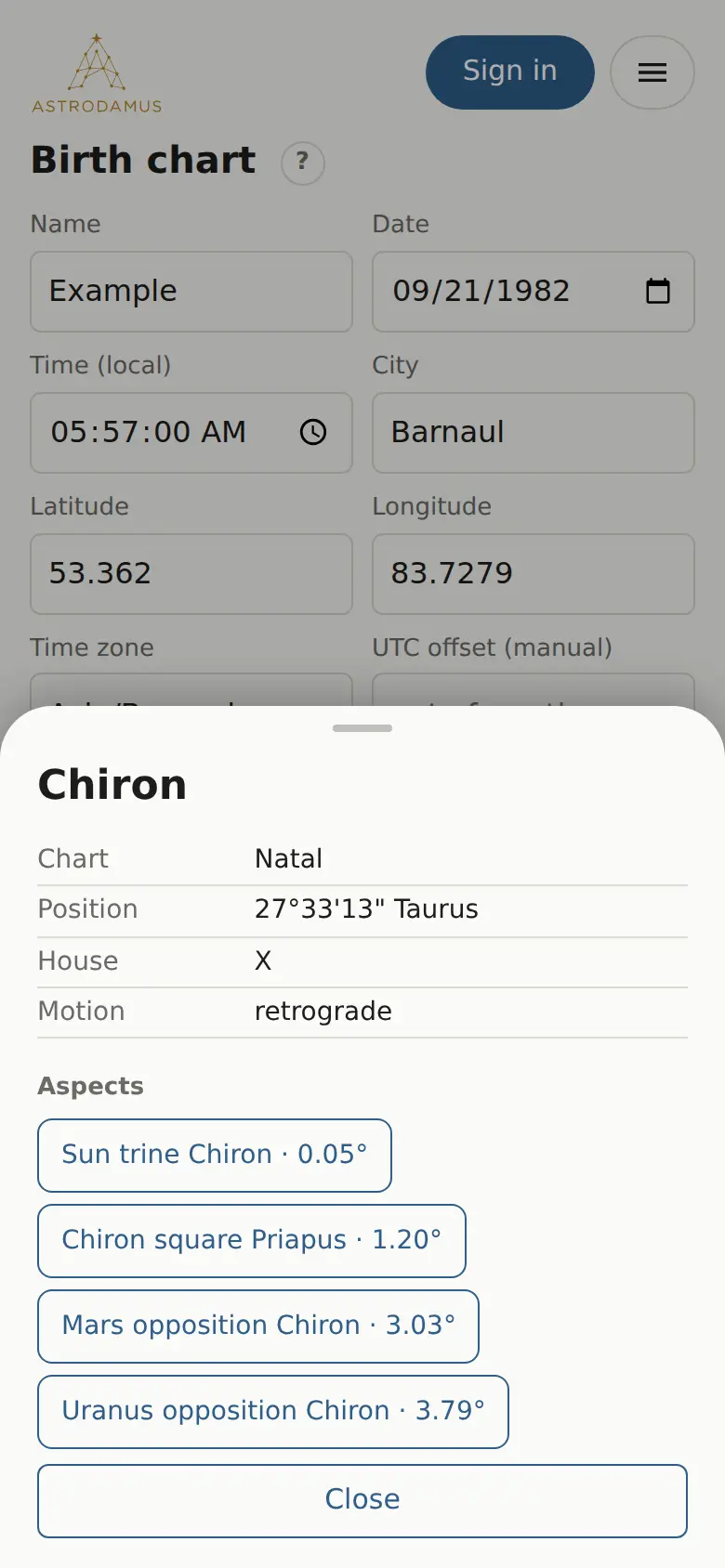
Fictitious and Avestan points, the nodes and Chiron have no texts, so their cards list the facts only.
Modern and classic wheels Pro
In Pro mode, “More” has a “Wheel style” field:
- “Modern” (default): large glyphs, colored signs, main bodies only.
- “Classic (all points and aspects)”: a ZET-style wheel with every fictitious point and minor aspect.
The classic wheel switches on by itself when the harmonic is above 1 or you add extra rings.
“Avestan points on the wheel” adds the Avestan school's points (Proserpina, Priapus and others) to the modern wheel. More in Avestan data.
Related pages
- Wheel settings: glyph size, colors, which bodies and aspects to draw.
- Transits: a second ring on the wheel.
- Timeline: scrolling the sky forward and back.