Dial, graphic ephemeris, life arcs Pro
“Graphics” collects three diagrams for the current chart. “PDF (open graphics)” prints only the blocks you have open.
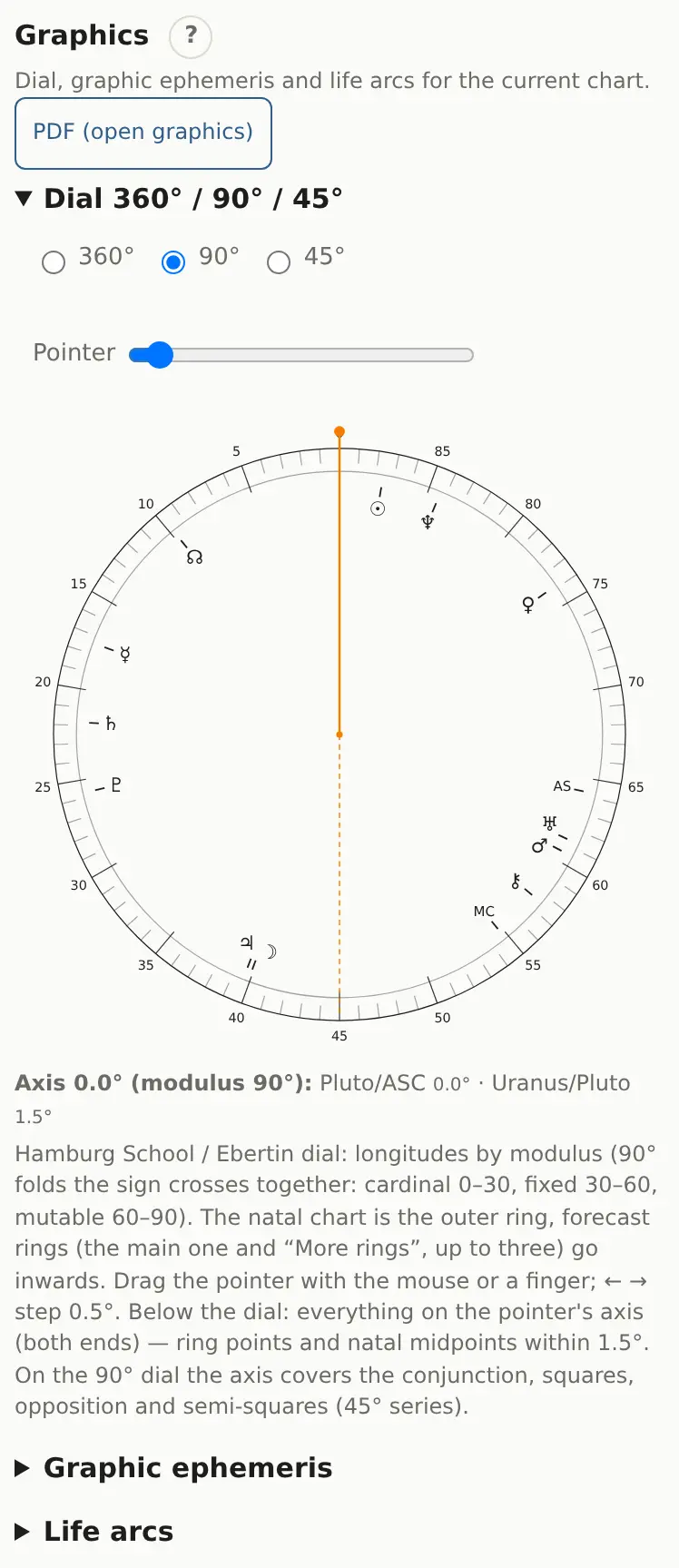
Dial 360° / 90° / 45°
A Hamburg school and Ebertin tool. On the 90° dial the sign modalities are folded together: cardinal signs fill 0–30, fixed 30–60, mutable 60–90. That puts the conjunction, square and opposition at the same spot on the dial.
- Natal is the outer ring; forecast rings (the main one and “Extra rings”, up to three) sit inside.
- Drag the pointer with the mouse or a finger, use the “Pointer” slider, or the ← → keys (0.5° steps).
- Below the dial is everything on the pointer's axis (both ends): ring points and natal midpoints within 1.5°.
Tapping a row in the full midpoint list puts the pointer on that midpoint.
Graphic ephemeris
- Set the period with “From” and “to” (up to 100 years).
- Choose the module: 360°, 90° or 45°.
- Tick “fast bodies (Moon–Mars)” if you want them. By default only slow bodies are drawn: Jupiter through Pluto, Chiron, the node.
- Click “Build chart”.
Time runs left to right, longitude on the module runs bottom to top. Dashed horizontal lines are your natal points. Where a planet's line crosses one, the transit is exact; on 90° that's a conjunction, square or opposition. Hover or tap the graph to see positions for that date underneath.
Life arcs
Click “Build for 100 years”. Each row is a natal point and the axis is age. A mark appears in the year a directed or progressed point reaches a major aspect to that natal point:
- red: solar arc;
- blue: secondary progression (Sun through Pluto, Moon excluded);
- green: Placidus primary direction (the key comes from the “Primary directions” section).
A cluster of different colors in one row around the same age marks a period when that point's theme comes to the front. Tap a mark to open the chart on that date.